Role of automation at home for busy families in 2026
Many families believe home automation is either too complicated to set up or too unreliable to trust with daily tasks. The reality is quite different. When implemented thoughtfully, automation becomes an invisible partner that handles repetitive chores, optimizes energy use, and frees up precious time for what matters most. This guide reveals how modern automation technologies work, the tangible benefits families experience, and practical strategies to build systems that enhance rather than complicate your home life. You’ll discover how to avoid common pitfalls, maximize energy savings, and choose solutions that fit your unique routines.
The short answer: Home automation earns its keep when it handles the repetitive things — lights, thermostat, locks, reminders — and stays out of the way otherwise. Start with one or two routines you already repeat every day rather than wiring the whole house at once. The systems families actually keep are the simple ones that still work when the WiFi doesn’t.
Table of Contents
- Understanding The Role Automation Can Play In Busy Family Homes
- Balancing Convenience And Reliability: Overcoming Automation Challenges At Home
- Practical Benefits: Boosting Productivity And Saving Energy With Home Automation
- Choosing The Right Automation Approach For Your Family’s Needs
- Explore Productivity And Organization Solutions For Busy Families
- Frequently Asked Questions About Home Automation For Families
Key takeaways
| Point | Details |
|---|---|
| Efficiency gains | Automation reduces repetitive tasks and streamlines home management for busy schedules. |
| Local processing | Running automations locally ensures faster response times and better privacy protection. |
| Energy impact | Smart devices can cut household energy consumption by 10 to 35 percent annually. |
| Family harmony | Well-designed automations minimize friction by maintaining intuitive manual controls. |
| Testing matters | Beta testing and monitoring tools help refine systems before full deployment. |
Understanding the role automation can play in busy family homes
Home automation refers to systems that control devices and appliances based on schedules, sensors, or triggers without manual intervention. For families juggling work, school activities, and household responsibilities, automation handles mundane tasks like adjusting thermostats, turning off forgotten lights, or sending reminders when the laundry finishes. These systems rely on several core technologies that determine how effectively they serve your household.
Modern automation uses rule-based systems, hybrid AI, and protocols like MQTT or Zigbee to coordinate devices. Rule-based automations follow simple if-then logic: if motion is detected after sunset, turn on the porch light. Hybrid approaches incorporate fuzzy logic or basic AI to adapt based on patterns, like learning when family members typically arrive home. Communication protocols such as MQTT and Zigbee enable devices to talk to each other quickly and reliably, often without requiring internet connectivity.
Local processing stands out as a critical advantage for families prioritizing speed, privacy, and reliability. When automations run on a local hub like Home Assistant rather than relying on cloud servers, commands execute in milliseconds instead of seconds. Your family’s routines and sensor data stay within your home network, reducing privacy risks. If your internet connection drops, local automations continue working seamlessly because they don’t depend on external servers.
Common devices families integrate include smart thermostats that adjust temperatures based on occupancy, lighting systems that respond to motion or time of day, door locks that secure automatically, and security cameras that alert you to unusual activity. These tools connect to create comprehensive home management systems that reduce the mental load of remembering every small task.
Automation excels at handling repetitive scheduling, sending timely alerts, and managing energy consumption across multiple devices. Practical use cases include:
- Automatically dimming lights during movie time without fumbling for remotes
- Receiving notifications when kids arrive home from school
- Adjusting heating or cooling before you wake up to maintain comfort
- Turning off all lights and locking doors with a single goodnight routine
- Monitoring energy usage patterns to identify wasteful appliances
These applications free up mental bandwidth and physical effort, allowing you to focus on family interactions rather than household micromanagement. Understanding smart home automation protocols helps you evaluate which technologies best suit your technical comfort level and privacy preferences.
Balancing convenience and reliability: overcoming automation challenges at home
Even well-intentioned automation can frustrate families when systems fail silently, controls become too complex, or automations clash with individual preferences. The key to success lies in designing systems that prioritize reliability and maintain intuitive manual overrides. Families need confidence that automations will work consistently without constant troubleshooting or unexpected behavior.
Common challenges include silent failures where automations stop working without notification, overly complicated control interfaces that confuse family members or guests, and rigid systems that don’t accommodate spontaneous schedule changes. When a motion sensor stops detecting movement or a schedule runs at the wrong time, families lose trust in the entire system. Complex dashboards with dozens of buttons alienate non-technical household members who just want to turn on a light.
Prioritizing local execution, manual overrides, and beta testing addresses these pain points effectively. Local processing eliminates dependency on internet reliability and external server uptime. Manual overrides ensure anyone can control devices the traditional way without understanding automation logic. Beta testing automations with a small subset of devices reveals problems before they affect the whole household.
Behavioral planning aligns automations with actual family routines rather than idealized schedules. Observe when family members naturally wake up, leave for work, or go to bed before creating time-based automations. Account for weekend variations, holiday schedules, and seasonal changes. Automations that match real behavior feel invisible and helpful, while those based on assumptions create friction.
Simplicity trumps cleverness in home automation design. A straightforward automation that reliably turns on the garage light when the door opens beats a complex system that adjusts lighting based on time of day, weather, and predicted arrival times but occasionally fails. Focus on solving specific pain points rather than automating everything possible.
Observability through logs and notifications helps you monitor system health and troubleshoot issues quickly. Configure your automation platform to alert you when sensors go offline, batteries run low, or automations fail to execute. Review logs periodically to spot patterns like a door sensor that triggers erratically or a schedule that runs inconsistently.
Pro Tip: Create a simple dashboard accessible to all family members showing the status of critical automations and manual override buttons for common scenarios like disabling motion sensors during parties or pausing schedules during vacations.
Key principles for reliable home management systems include:
- Test new automations for at least a week before expanding
- Provide physical switches alongside smart controls
- Document automation logic for family members
- Build in graceful degradation when sensors fail
- Schedule regular maintenance checks for batteries and connectivity
Understanding smart home automation design principles helps you anticipate usability challenges before they impact daily life. The goal is technology that serves your family invisibly rather than demanding constant attention and adjustment.
Practical benefits: boosting productivity and saving energy with home automation
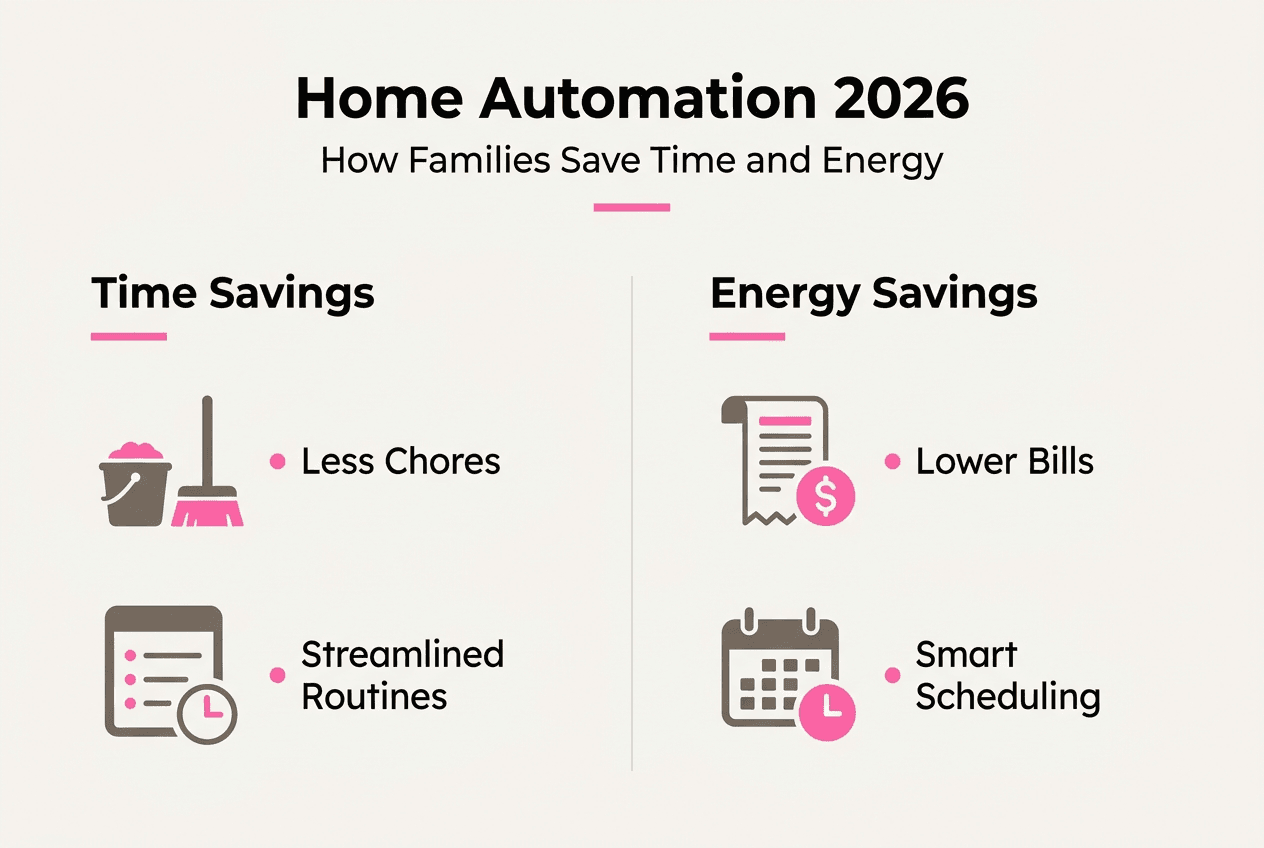
Beyond convenience, automation delivers measurable improvements in both household productivity and energy efficiency. Families report significant time savings from eliminating repetitive tasks, while smart devices reduce utility bills through optimized energy consumption. Understanding these benefits helps you prioritize which automations offer the best return on investment.
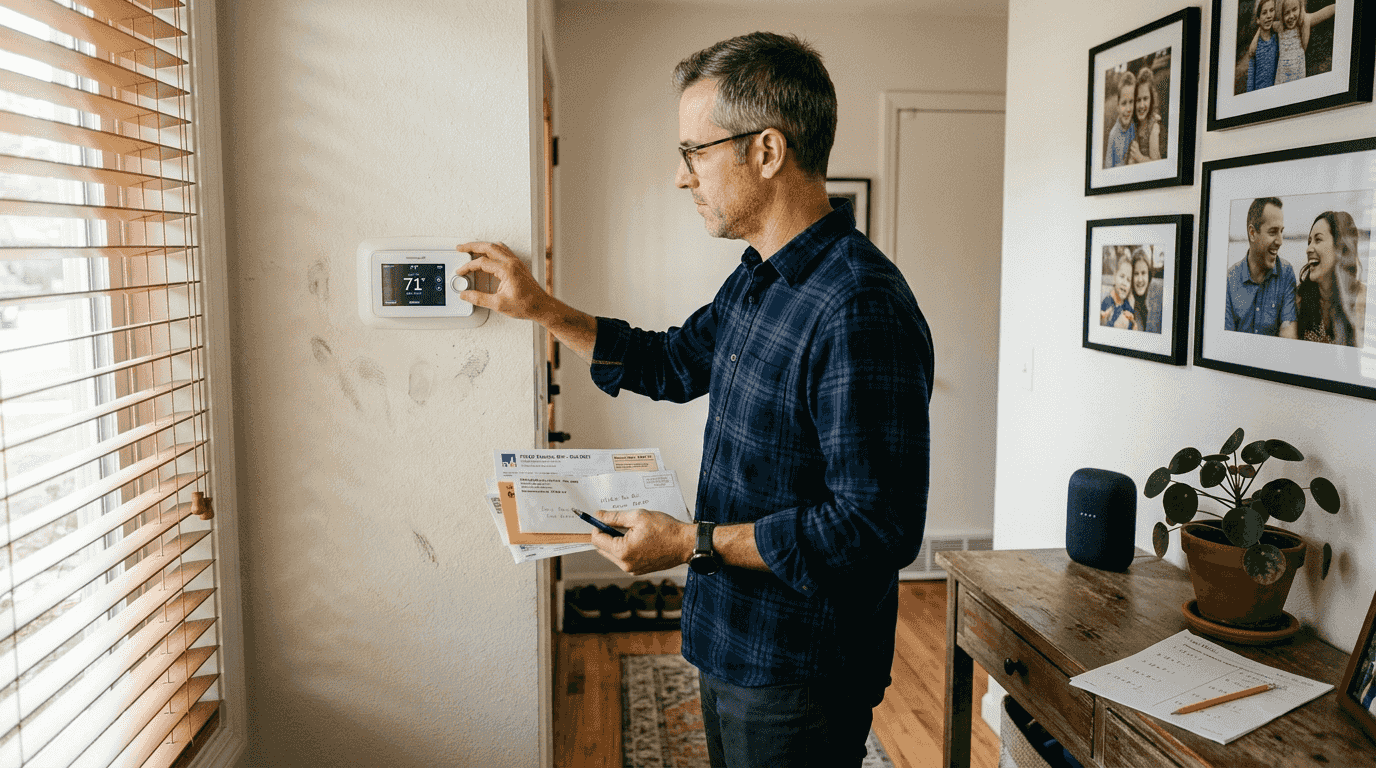
Energy savings represent one of automation’s most quantifiable advantages. Smart thermostats reduce consumption by 9.6 to 17.5 percent, while comprehensive smart home systems can cut overall household energy use by 10 to 35 percent annually. These savings come from precise temperature control, occupancy-based adjustments, and eliminating phantom power draw from devices left in standby mode.
Demand shifting moves energy-intensive tasks to off-peak hours when electricity rates are lower. Running dishwashers, washing machines, or charging electric vehicles overnight can reduce appliance-related energy costs by 60 percent in homes with time-of-use utility rates. Automation handles this scheduling invisibly, ensuring you wake up to clean dishes without remembering to start the cycle manually.
Payback periods for smart home investments typically range from 1.5 to 2 years, with return on investment reaching 300 to 600 percent over a decade. Initial costs include smart devices, a central hub if needed, and installation time, but monthly utility savings accumulate quickly. Families in regions with high energy costs or extreme climates see faster payback.
| Device Type | Average Energy Savings | Typical Payback Period |
|---|---|---|
| Smart thermostat | 9.6 to 17.5% | 1 to 2 years |
| Smart lighting | 50 to 80% per bulb | 6 months to 1 year |
| Smart power strips | 10 to 20% on connected devices | 1 to 1.5 years |
| Whole home system | 10 to 35% overall | 1.5 to 2.5 years |
Productivity benefits extend beyond energy savings. Automation reduces the mental load of remembering routine tasks, freeing cognitive resources for work, family time, or personal projects. Specific productivity improvements include:
- Eliminating daily thermostat adjustments saves 5 to 10 minutes
- Automated lighting removes the need to check every room before bed
- Smart locks eliminate worries about whether doors were locked
- Scheduled routines handle morning and evening tasks consistently
- Alerts for completed laundry prevent forgotten loads and musty smells
Families using comprehensive automation report reclaiming 30 to 60 minutes daily from eliminated micro-tasks. This time compounds over weeks and months, creating space for activities that matter more than adjusting thermostats or flipping light switches. Research on energy efficiency gains confirms that behavioral changes amplify technology benefits.
Pro Tip: Track your utility bills for three months before and after implementing automation to quantify actual savings, then use that data to justify expanding your system or fine-tuning settings for maximum efficiency.
Maximizing returns requires combining technology with behavioral adjustments. Smart thermostat savings increase when you set reasonable temperature ranges rather than extreme heating or cooling. Automation works best as a partner to conscious energy use, not a substitute for wasteful habits. The synergy between smart technology and mindful consumption delivers the most impressive results for busy families seeking both convenience and cost savings.
Choosing the right automation approach for your family’s needs
Selecting automation solutions requires balancing technical capabilities, user-friendliness, privacy preferences, and budget constraints. Different approaches suit different family dynamics, technical comfort levels, and household priorities. Understanding the tradeoffs helps you build a system that serves rather than frustrates your household.
Rule-based automations offer simplicity and predictability through straightforward if-then logic. They execute reliably because behavior is deterministic: the same trigger always produces the same result. However, they lack adaptability to changing patterns or unexpected situations. Hybrid AI and fuzzy logic systems learn from behavior patterns and adjust automatically, but they require more setup complexity and occasional retraining when routines change significantly.
Local versus cloud processing represents another critical decision point. Local systems prioritize speed, privacy, and reliability by keeping data and processing within your home network. Cloud-based solutions offer easier remote access, automatic updates, and integration with voice assistants, but they depend on internet connectivity and share data with external servers. Local processing outperforms cloud for latency-sensitive applications like lighting or security responses.
| Approach | Speed | Privacy | Complexity | Reliability |
| — | — | — | — |
| Rule-based local | Excellent | Excellent | Low | Excellent |
| Hybrid AI local | Excellent | Excellent | Medium | Good |
| Cloud rule-based | Good | Fair | Low | Good |
| Cloud AI | Good | Fair | Medium | Fair |
User-friendliness determines whether your entire family embraces or resists automation. Systems with intuitive interfaces, clear status indicators, and simple manual overrides encourage adoption across all household members. Guest accessibility matters too, allowing visitors to control basic functions like lights or temperature without downloading apps or learning complex procedures.
Key evaluation factors when comparing automation platforms include:
- Upfront costs for devices, hubs, and installation
- Monthly subscription fees for cloud services or premium features
| Ease of setup and ongoing maintenance requirements - Compatibility with devices you already own
- Robustness during internet outages or device failures
- Energy monitoring and optimization capabilities
- Privacy policies and data handling practices
Steps to customize automation for your family’s routines:
- Observe daily patterns for a week before creating schedules
- Start with one high-impact automation like morning lighting
- Test thoroughly and gather feedback from all household members
- Add manual override options for every automated function
- Document how automations work for future reference
- Expand gradually based on proven successes
Beta testing reveals usability issues before they cause frustration. Run new automations in parallel with manual controls initially, allowing family members to experience the automation while retaining full control. Collect feedback about timing, intensity, or behavior, then refine settings before making the automation the primary method.
Matching solutions to habits and priorities ensures technology serves your actual needs rather than forcing you to adapt to rigid systems. Families who value privacy above convenience should prioritize local processing even if it requires more technical setup. Those seeking maximum simplicity might accept cloud dependencies for easier installation and maintenance. Understanding your priorities helps you make informed tradeoffs.
Exploring productivity hacks for families alongside automation reveals complementary strategies. Technology works best when integrated with organizational systems, routines, and behavioral habits that support your family’s goals. Comprehensive smart home technology comparisons provide detailed feature breakdowns to inform your decision-making process.
Explore productivity and organization solutions for busy families
Home automation delivers the most value when integrated with broader productivity and organization strategies. Our website offers comprehensive resources to help families streamline daily routines, create organized living spaces, and implement systems that reduce stress while increasing efficiency. Combining smart technology with proven organizational frameworks amplifies the benefits of both approaches.
Discover practical productivity hacks for families that complement your automation setup, from time-blocking techniques to delegation systems that ensure everyone contributes to household management. Learn about home organization systems that create physical spaces supporting your automated routines, making it easier for technology to enhance rather than complicate daily life. Explore comprehensive home management systems that integrate automation with planning, communication, and task management for a holistic approach to running a busy household efficiently.
Frequently asked questions about home automation for families
How much time can families actually save with home automation?
Most families reclaim 30 to 60 minutes daily by eliminating repetitive tasks like adjusting thermostats, checking locks, or manually controlling lights. The time savings compound over weeks, creating space for family activities, work, or rest without adding stress.
What’s the biggest mistake families make when starting with automation?
Trying to automate everything at once overwhelms family members and creates complexity that’s hard to troubleshoot. Start with one high-impact automation, test it thoroughly, gather feedback, then expand gradually based on what works for your specific household routines.
Do smart home devices really save enough energy to justify the cost?
Yes, comprehensive systems typically pay for themselves within 1.5 to 2 years through reduced utility bills. Smart thermostats alone cut heating and cooling costs by 9.6 to 17.5 percent annually, while whole-home automation can reduce total energy consumption by 10 to 35 percent.
How can families ensure automation doesn’t frustrate non-technical household members?
Maintain intuitive manual controls alongside automation, create simple override options for common scenarios, and design systems that work invisibly without requiring app interaction for basic functions. Physical switches and voice commands help everyone control devices their preferred way.
What happens to home automation during internet outages?
Local processing systems continue operating normally because they don’t depend on internet connectivity. Cloud-based systems lose functionality during outages, which is why many experts recommend prioritizing local execution for critical automations like security, lighting, and climate control.
Should families choose cloud or local automation platforms?
Local platforms offer better speed, privacy, and reliability, making them ideal for families prioritizing security and consistent performance. Cloud platforms provide easier remote access and setup, suiting families who value convenience over privacy and don’t mind internet dependencies for basic functions.
Recommended
- Home Management Systems: How Families Stay Organized –
- 7 Practical Work-Life Balance Tips for Busy Families –
- 7 Cool Gifts for 2025 Every Family Will Love –
- How to Start a Family Blog for Busy Parents in 2026 –
Want a little more help with this? I made a free 30-Minute Reset that pairs right up with this post — y’all can grab it over on my Free Resources page.