How to Create Viral Pins: A Step-by-Step Guide for Bloggers
Most American family bloggers underestimate the power of Pinterest, yet over 80 percent of North American parents rely on Pinterest for ideas to organize family life and inspire daily routines. Busy bloggers know that time is precious, but viral Pins can send thousands of visitors to your blog in a single week. Learn smart strategies that help you quickly identify trending topics, create stunning visuals, and write captivating descriptions so your family blog stands out.
Table of Contents
- Step 1: Identify Trending Topics For Your Target Audience
- Step 2: Design Compelling Pin Graphics And Layouts
- Step 3: Write Irresistible Pin Titles And Descriptions
- Step 4: Optimize Pin Seo For Maximum Reach
- Step 5: Track Pin Performance And Refine Your Strategy
Quick Summary
| Key Point | Explanation |
|---|---|
| 1. Identify Audience Interests | Use blog analytics and social media to discover what topics your audience cares about. This helps guide your content creation. |
| 2. Create Eye-Catching Graphics | Utilize design principles to craft visually appealing Pinterest Pins. Use a clean design and consistent branding for recognition. |
| 3. Write Engaging Titles and Descriptions | Use audience-specific language and power words in your Pin titles and descriptions to attract clicks and engagement. |
| 4. Optimize for Pinterest SEO | Include relevant keywords and clear alt text to enhance your Pins’ visibility and match audience search intent effectively. |
| 5. Track and Analyze Performance | Monitor key metrics like saves and clicks to refine your strategy. Use your data to understand what resonates with your audience. |
Step 1: Identify trending topics for your target audience
Knowing what your audience wants to read is the golden ticket for creating viral Pinterest content. In this section, you’ll learn how to uncover the hottest topics that will make your pins irresistible.
Start by discovering your audience personas. This means diving deep into understanding who your readers are – their interests, challenges, and online behavior. Check your blog analytics, social media engagement, and comments to spot patterns. Are parents talking about budget-friendly family activities? Are home organization hacks getting tons of attention?
Next, leverage Google Trends to see what people are searching for right now. This free tool shows you real-time search volume across different regions. Filter results for North America and look for topics related to family, home organization, and blogging. Pay attention to seasonal trends too. For instance, summer might spark more interest in family vacation planning or home decluttering strategies.
Reach out directly to your audience through surveys, social media polls, or email newsletters. Ask them what content they want to see. Sometimes the best topic ideas come straight from the people who will read your blog.
Use this summary to compare popular ways to identify Pinterest content trends:
| Method | How It Works | Best For |
|---|---|---|
| Analytics Review | Analyze your blog and social media data | Finding audience patterns and interests |
| Google Trends Search | Explore rising keywords and topics | Spotting real-time, seasonal trends |
| Audience Feedback | Collect info via surveys or polls | Direct insights on desired content |
Pro Tip: Bookmark Google Trends and check it weekly to stay ahead of emerging topics that could transform your Pinterest strategy.
Step 2: Design compelling Pin graphics and layouts
Creating stunning Pinterest graphics is an art form that can skyrocket your blog traffic and engagement. In this section, you’ll learn how to craft visually irresistible Pin designs that stop scrollers in their tracks.

Start by understanding the fundamental design principles that make graphics pop. Scale, white space, balance, and contrast are your secret weapons. Think of your Pin like a mini billboard that needs to communicate your message instantly. Choose a clean background that allows your key information to breathe. Use vertical images since they perform best on Pinterest aim for a 2:3 aspect ratio to maximize screen real estate.
As graphic designers develop visual concepts, you want to create consistent branding across your Pins. Pick 2-3 complementary colors that represent your blog’s personality. Typography matters too use large readable fonts that stand out even when someone is quickly scanning their feed. Canva offers fantastic free templates if you are not a design pro. Add text overlays that tease your blog content without giving everything away make viewers curious enough to click.
Experiment with different layouts and track which designs generate the most engagement. Take screenshots of Pins you love for inspiration but never copy them exactly. Your unique style will help you stand out in a crowded Pinterest landscape.
Pro Tip: Create a design template folder with your brand colors, fonts, and logo so you can quickly whip up consistent Pins that look professional.
Step 3: Write irresistible Pin titles and descriptions
Crafting the perfect Pinterest title and description is like creating a magnetic headline that pulls readers in. In this step, you will learn how to write copy that makes people stop scrolling and click through to your blog.
Understanding your audience personas is crucial when writing Pin titles. Think about the exact language your target readers use. If you are a family organization blogger, skip academic terminology and speak directly to busy parents. Use power words that trigger emotion like “genius”, “surprising”, or “easy”. Your title should promise a specific benefit. Instead of “Home Organization Tips”, try “5 Genius Storage Hacks that Save Busy Parents 2 Hours Every Week”.
Write descriptions that complement your eye-catching title. Create clear and memorable content by including relevant keywords naturally. Pinterest allows up to 500 characters, but aim for concise 2-3 sentence descriptions that tease your blog post. Highlight the key takeaway or problem you are solving. For example, “Struggling with kitchen clutter? These organization strategies will transform your space and save your sanity in less than a weekend.”
Remember that keywords matter. Research what terms your audience searches for and sprinkle them into your titles and descriptions strategically. Use Pinterest analytics to track which phrases generate the most engagement and refine your approach.
Pro Tip: Write 3-5 title variations for each Pin and test them to see which generates the most clicks and repins.
Step 4: Optimize Pin SEO for maximum reach
Unlocking Pinterest’s search potential is like having a secret weapon for blog traffic. In this step, you will learn how to make your Pins show up exactly where your target audience is searching.
Start by mastering search engine optimization techniques specific to Pinterest. Keywords are your best friends here. Think about the exact phrases your audience types when looking for content like yours. If you are a family organization blogger, research terms like “home organization tips for busy parents” or “quick decluttering hacks”. Sprinkle these keywords naturally in your Pin titles, descriptions, and board names.
Dont stop at text based SEO. Pinterest is visual search first. Use clear alt text that describes your image precisely. Imagine someone who cant see the image needs to understand its content from your description. Add relevant hashtags but dont go overboard stick to 3-5 targeted tags that truly represent your content. Pinterest rewards Pins that provide value and match user search intent. This means creating content that directly answers the questions your audience is asking.
Consistency is key in Pinterest SEO. Create content clusters by organizing your Pins into themed boards. This helps Pinterest understand your expertise and recommend your content more often. Track your Pin performance using Pinterest analytics and adjust your strategy based on what works.
Pro Tip: Update older Pins with current keywords and fresh descriptions to breathe new life into your existing content.
Step 5: Track Pin performance and refine your strategy
Understanding your Pinterest analytics is like having a secret roadmap to viral content. In this final step, youll learn how to decode your Pin performance and turn data into growth strategy.
Start by understanding key performance indicators that matter most. Focus on metrics like saves, click-throughs, impressions, and engagement rates. Pinterest analytics provides a treasure trove of insights. Look for patterns in which Pins attract the most attention. Are vertical images performing better? Do Pins with certain color schemes get more saves? Pay attention to the times of day your audience is most active and which content types generate the most interaction.
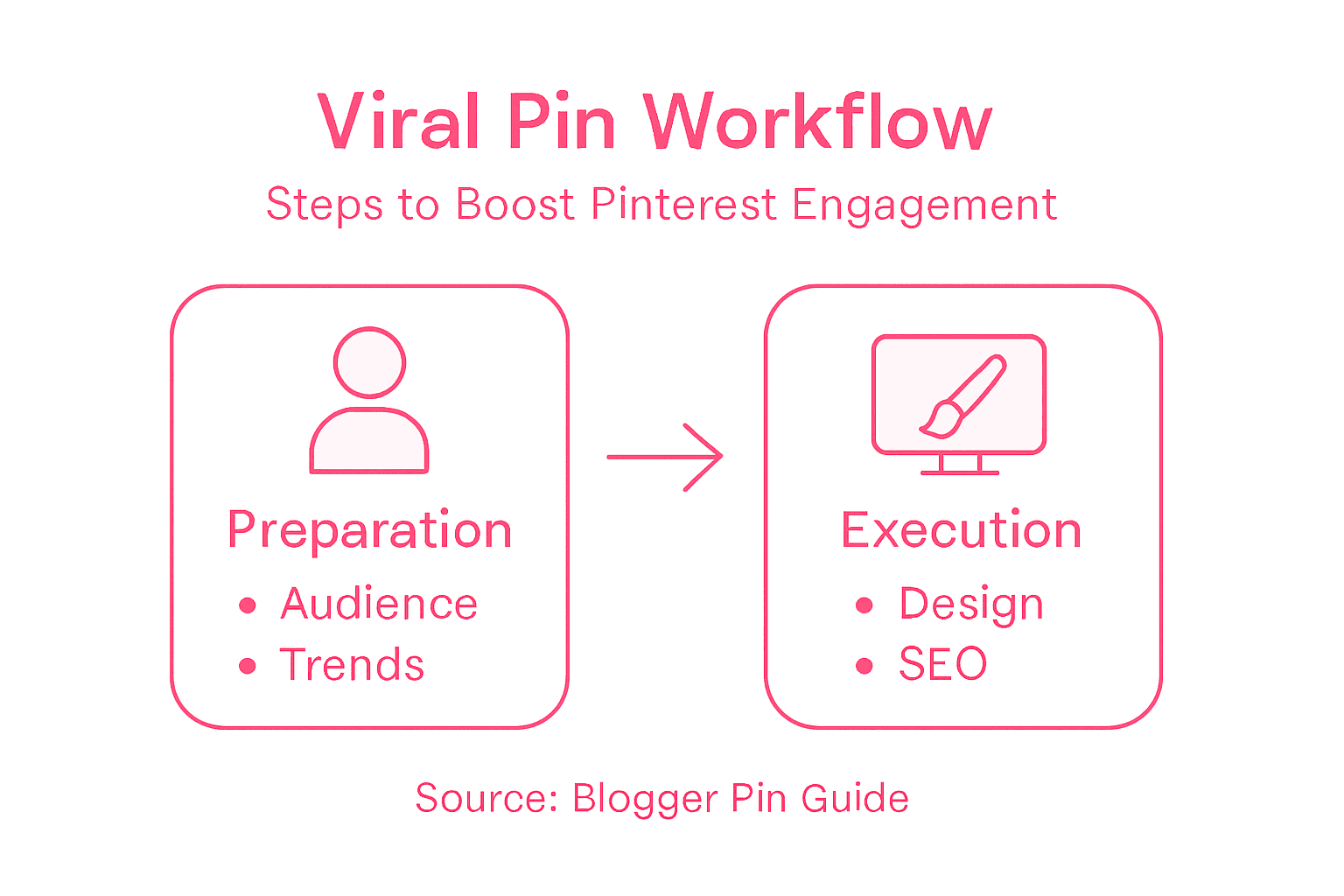
Here’s a quick overview of key Pinterest metrics and what they reveal about your Pins:
| Metric | What It Measures | Business Insight |
|---|---|---|
| Impressions | Number of views of your Pin | Indicates reach and audience exposure |
| Saves | Number of times your Pin is saved | Shows how inspiring or useful Pins are |
| Click-Throughs | How often people clicked your Pin | Reveals traffic-driving potential |
| Engagement Rate | Combined clicks/saves vs. views | Measures overall Pin effectiveness |
Dive deep into performance management strategies by creating a tracking system. Set up a simple spreadsheet to monitor your Pin metrics monthly. Compare your top performing Pins and identify common characteristics. Maybe your audience loves tutorial style graphics or specific color palettes. Use these insights to replicate success. Dont be afraid to experiment create multiple versions of your Pins and see which ones resonate most with your audience.
Remember that Pinterest is a long game. Some Pins might take weeks or months to gain traction. Consistently analyze your data, but dont get discouraged by slow initial results. Your viral moment could be just around the corner.
Pro Tip: Create a Pin performance scorecard where you track your top 10 Pins monthly to spot emerging trends in your content strategy.
Elevate Your Pinterest Strategy with Proven Organization and Productivity Hacks
Struggling to create viral Pins that truly connect with your audience? This guide reveals the exact steps to capture attention and drive traffic but maintaining consistent engagement requires more than just great content. Busy families and bloggers share the challenge of juggling time, managing home spaces, and optimizing their blogging efforts all at once. By combining the power of compelling Pin design and search-focused strategies with real-life organization systems you can unlock a new level of productivity and online success.
Discover how simple living strategies and time management tools designed for busy parents make implementing these Pinterest techniques easier than ever. Visit itsasouthernlifeyall.com to explore proven decluttering solutions and home management systems that free up your schedule and creative energy. Don’t wait until the next Pinterest wave passes you by take control of your digital presence and life by starting your transformation today. Learn more about creating efficient, organized routines and boost your blogging impact at Transform Your Home and Life. The time to act is now because every viral Pin begins with a balanced and focused lifestyle.
Frequently Asked Questions
How do I identify trending topics for creating viral Pins?
To identify trending topics, analyze your audience personas, explore Google Trends, and gather direct feedback through surveys. Focus on subjects that resonate with your audience’s interests and challenges to create compelling content.
What are the key design principles for making eye-catching Pin graphics?
The key design principles include using appropriate scale, white space, balance, and contrast in your graphics. Choose a clean layout with a vertical 2:3 aspect ratio, and use complementary colors and readable fonts to enhance your Pins’ visual impact.
How can I write compelling titles and descriptions for my Pins?
Craft compelling titles by using relatable language and power words that promise specific benefits to your audience. Write 2-3 sentence descriptions that naturally include relevant keywords and highlight the main takeaway or problem your post addresses.
What are some effective Pinterest SEO strategies for my Pins?
Utilize keyword research to find phrases that your audience searches for, and incorporate them naturally into your Pin titles and descriptions. Also, use clear alt text for your images and relevant hashtags, limiting them to 3-5 targeted tags to improve discoverability.
How can I track the performance of my Pins effectively?
To track performance, focus on key metrics such as saves, click-throughs, and impressions. Regularly analyze your Pin data to identify trends, and create a monitoring system, such as a spreadsheet, to compare your top-performing Pins and refine your strategy.
How long does it typically take for Pins to gain traction?
It can take weeks or even months for Pins to gain traction. Stay persistent with your strategy and regularly analyze performance to spot trends, as your viral moment may just be around the corner.
Recommended
- How to Start a Mom Blog in 2026: A Step-by-Step Guide for Beginners – It’s a Southern Life Ya’ll
- How to Make Pinterest Pins for Organized Family Homes – It’s a Southern Life Ya’ll
- Your First Blog Post Introduction: How to Hook Readers Fast – It’s a Southern Life Ya’ll
- blog tips – It’s a Southern Life Ya’ll