
What is a family calendar? The ultimate 2026 guide
Studies show that 30% fewer appointments are missed when families use shared calendars, yet many parents still juggle scattered schedules across paper planners, phone reminders, and mental notes. This fragmented approach leads to forgotten soccer practices, double-booked dinners, and unnecessary stress. A family calendar consolidates everything into one accessible platform, giving every family member visibility into upcoming events and responsibilities. This guide explains what family calendars are, their core features, proven benefits backed by data, and practical strategies to transform your household organization in 2026.
Table of Contents
- What Is A Family Calendar And How Does It Work?
- Key Features Of Family Calendar Apps And Their Benefits For Busy Parents
- Popular Family Calendar Apps: Features, Pricing, And Privacy Considerations
- Tips For Maximizing Family Calendar Usage And Overcoming Common Challenges
- Boost Your Family’s Productivity With Smart Organization Systems
- What Is A Family Calendar App?
Key takeaways
| Point | Details |
|---|---|
| Centralized scheduling | Family calendars reduce missed appointments and conflicts by keeping everyone’s events in one shared space |
| Time-saving features | Meal planning tools and chore trackers save families roughly 2 hours weekly while boosting participation |
| Improved communication | Shared access to schedules, tasks, and notes decreases stress and keeps everyone informed in real time |
| Flexible pricing models | Most apps offer free versions with ads, plus premium subscriptions that unlock advanced features |
| Consistent engagement | Regular updates and clear expectations from all family members maximize organizational benefits |
What is a family calendar and how does it work?
A family calendar is a digital scheduling platform designed for multiple users to access, edit, and view shared events simultaneously. Unlike personal calendars that track only your commitments, family calendars centralize everyone’s activities, appointments, and tasks in one synchronized system. Cloud-based databases enable instant updates across all connected devices, so when your partner adds a dentist appointment from their phone, you see it immediately on your tablet.
The technology behind these tools relies on real-time synchronization. When someone creates an event, the app sends that data to a central server, which then pushes updates to every authorized device. This architecture ensures consistency, whether you’re checking the calendar at home on a laptop or on the go via smartphone. Modern platforms handle complex scenarios like recurring events, time zone adjustments for traveling family members, and automatic reminders before important deadlines.
Key features include color-coded event categories that let you distinguish between work meetings, school activities, and personal appointments at a glance. Shared lists allow families to collaboratively manage grocery shopping, packing for trips, or tracking household projects. Push notifications alert everyone about upcoming commitments, reducing the chance of surprises. Many apps also support notes and attachments, so you can link permission slips, directions, or reference documents directly to calendar entries.
Pro Tip: Assign each family member a unique color for their events. This visual system makes it easy to spot schedule overlaps and ensures no one’s commitments get lost in a crowded calendar view.
Integrating a family calendar into your routine complements broader time management tools for parents, creating a comprehensive system that addresses scheduling, task delegation, and communication. The result is less mental load for parents and greater autonomy for older children who can check their own schedules.
Key features of family calendar apps and their benefits for busy parents
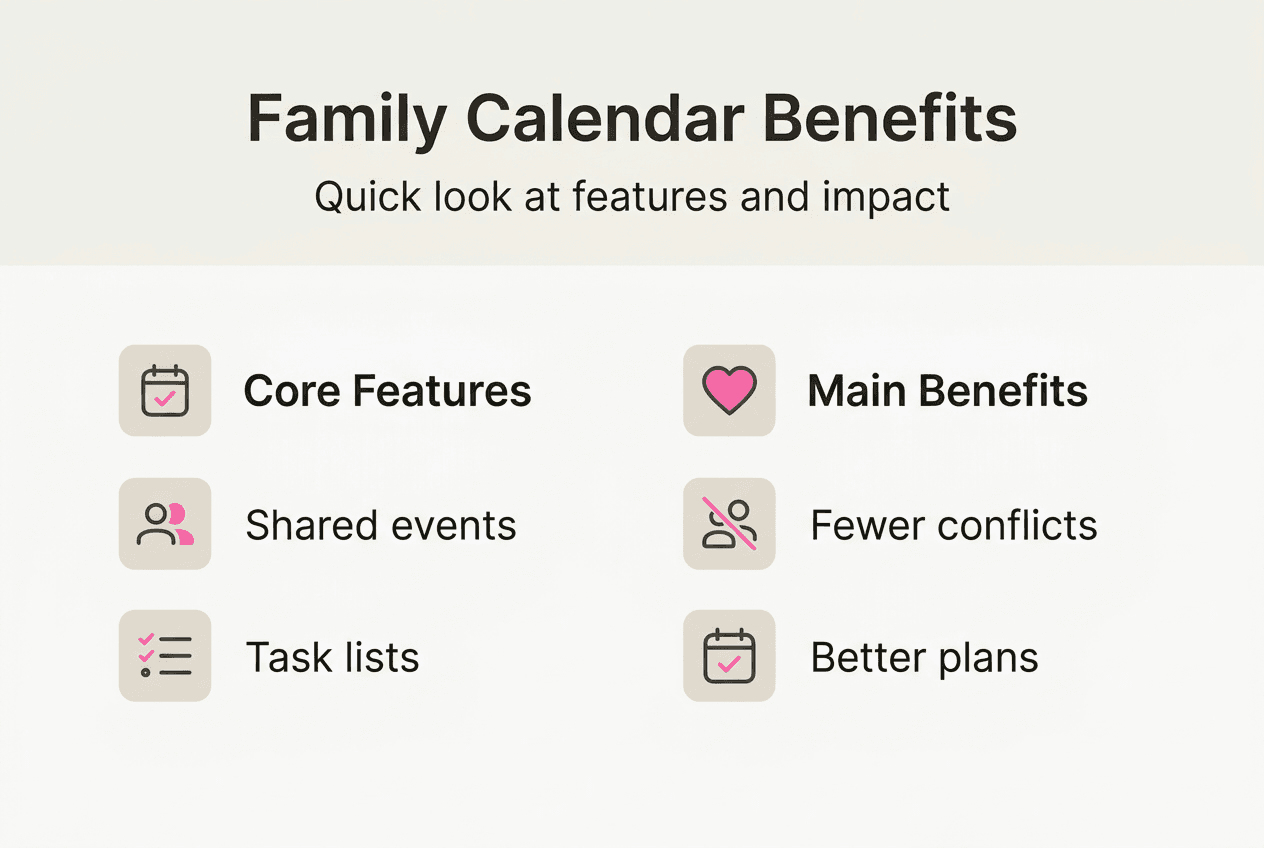
Family calendar applications pack powerful features that directly address common pain points. Research indicates that centralized scheduling reduces missed appointments by 30% and decreases family conflicts by 25%, translating abstract organization into measurable improvements. These numbers matter when you consider how forgotten events strain relationships and waste time.
Meal planning modules stand out as particularly valuable. Instead of scrambling each evening to decide what’s for dinner, you can map out weekly menus within the calendar interface. Some apps link recipes, generate shopping lists, and send reminders to defrost ingredients. Families report saving 2 hours weekly on meal-related decisions and prep, time that can shift to family activities or personal downtime. This feature alone justifies adoption for many households.

Chore management gets a modern upgrade through gamification. Apps let parents assign tasks, set deadlines, and reward completion with points or virtual badges. Children respond positively to this playful structure, with studies showing 40% higher chore completion rates when gamified features are active. Kids gain responsibility and parents gain help, creating a win for everyone.
Color-coded events provide instant visual clarity. Assign blue to Dad’s work schedule, green to soccer practices, red to medical appointments, and so forth. Scanning the week ahead becomes effortless when patterns and overlaps jump out immediately. Coupled with customizable reminders, this system ensures nothing slips through the cracks, even during hectic periods.
Shared task lists and collaborative notes improve communication beyond scheduling. Use lists to track school supplies needed, home repairs pending, or gift ideas for upcoming birthdays. Notes sections can hold carpool instructions, emergency contacts, or babysitter guidelines. This centralized information hub reduces the number of times you need to ask, “Where did we write that down?”
| Feature | Benefit | Impact |
|---|---|---|
| Centralized events | Everyone sees the same schedule | 30% fewer missed appointments |
| Meal planning | Reduces decision fatigue | Saves 2 hours per week |
| Chore gamification | Increases child participation | 40% higher completion rates |
| Color coding | Visual clarity at a glance | Reduces scheduling conflicts by 25% |
| Shared lists | Collaborative task management | Improves family communication |
Pro Tip: Set recurring reminders for routine tasks like weekly laundry, monthly bill payments, or quarterly filter changes. Automation handles the mental tracking so you can focus on execution.
These features align perfectly with time management tips for families and support broader goals like work-life balance. When paired with meal planning strategies, family calendars become the backbone of an efficient household system.
Popular family calendar apps: Features, pricing, and privacy considerations
FamCal ranks among the most popular family calendar apps available in 2026, offering both free and premium tiers. The free version provides core scheduling, task sharing, and color-coded events, supported by occasional advertisements. Premium subscriptions remove ads and unlock shared contacts, birthday trackers, and anniversary reminders. This tiered model lets families start without financial commitment and upgrade if they find value.
Pricing typically ranges from $3 to $10 monthly for premium plans, depending on the app and feature set. Some platforms offer annual subscriptions at discounted rates, reducing the cost per month. Evaluate whether premium features justify the expense for your household. If your family relies heavily on shared contacts or needs an ad-free experience for distraction-sensitive children, the investment often pays for itself in reduced friction.
Privacy considerations deserve careful attention. FamCal requests permissions for calendar access, contacts, location services, and device storage to deliver full functionality. Calendar and contact permissions enable syncing and sharing. Location services can provide context-based reminders like “pick up milk” when you’re near the grocery store. Storage access allows attaching files to events. Review each permission request and understand why the app needs it before granting access.
Data security practices vary by provider. Look for apps that encrypt data in transit and at rest, use secure authentication methods, and clearly state how they handle personal information. Read privacy policies to confirm whether your data is sold to third parties or used for targeted advertising. Reputable apps typically offer transparency reports and comply with regulations like GDPR or CCPA, even if you’re not in those jurisdictions.
| App | Free Features | Premium Cost | Key Premium Add-ons |
|---|---|---|---|
| FamCal | Events, tasks, color coding | $4/month | Ad-free, shared contacts, date trackers |
| Cozi | Calendar, lists, recipes | $30/year | Month view, change alerts, ad removal |
| TimeTree | Shared calendars, memos | $3/month | Unlimited calendars, premium stickers |
Pro Tip: Test multiple apps during free trial periods before committing. Each family has unique needs, and hands-on experience reveals which interface and feature set fits your workflow best.
Choosing the right app connects to broader time management strategies, ensuring your tools support rather than complicate your organizational goals. Prioritize apps with strong privacy practices and features that address your specific challenges.
Tips for maximizing family calendar usage and overcoming common challenges
Successful family calendar adoption requires more than downloading an app. Consistent usage by all members determines whether the system thrives or becomes another abandoned tool. Start by holding a family meeting to explain benefits, demonstrate features, and assign responsibilities. When everyone understands their role, buy-in increases dramatically.
-
Establish daily check-in routines. Make calendar review part of morning or evening rituals. Spend two minutes each breakfast discussing the day’s events or each dinner previewing tomorrow’s schedule. This habit embeds the calendar into family culture rather than treating it as optional.
-
Define clear input responsibilities. Assign who enters which types of events. Perhaps one parent manages medical appointments while the other handles school activities. Older children can input their own extracurriculars and social plans. Clear ownership prevents duplicated effort and ensures nothing falls through gaps.
-
Leverage notification settings strategically. Customize alerts based on event importance and lead time needed. A dentist appointment might warrant a 24-hour and 1-hour reminder, while a casual playdate needs only a same-day notification. Avoid notification fatigue by limiting alerts to truly necessary items.
-
Address time zone complexities proactively. If family members travel frequently or you coordinate with relatives across regions, verify that your app handles time zones automatically. Some platforms display events in the viewer’s local time, preventing confusion when schedules span multiple zones.
-
Review and refine regularly. Monthly family meetings to assess what’s working and what needs adjustment keep the system responsive to changing needs. Perhaps you discover that color coding isn’t intuitive for younger kids, or that certain recurring events need different reminder timing.
-
Respect privacy boundaries within shared spaces. While transparency benefits coordination, some family members may want certain events marked private. Ensure your chosen app supports privacy settings that let individuals control visibility of sensitive appointments.
Setting clear expectations and maintaining consistent engagement are crucial for family calendar success. Without these foundations, even the best app becomes underutilized.
Pro Tip: Create a “Calendar Champion” rotating role where one family member each week reminds others to check and update the calendar. This gamified responsibility builds ownership and keeps everyone engaged.
Overcoming common challenges often means addressing human behavior rather than technical issues. If family members forget to check the calendar, link it to existing habits like charging phones overnight or sitting down for meals. If updates lag, simplify the input process by using voice commands or quick-add shortcuts available in most modern apps.
These strategies complement essential tips for simplifying schedules, creating a holistic approach to family time management. When calendars integrate seamlessly into daily life, they transform from tools into indispensable systems.
Boost your family’s productivity with smart organization systems
Mastering family calendars represents just one piece of comprehensive household management. Once you’ve centralized scheduling, explore complementary strategies that amplify your organizational gains. Our curated productivity hacks for families offer tested techniques that busy parents use to reclaim hours each week, from batch cooking methods to streamlined morning routines that eliminate chaos.
Expanding beyond calendars, discover how effective home organization systems create physical spaces that support your digital scheduling efforts. When your home environment mirrors your calendar’s clarity, the entire family operates more smoothly. Designated zones for backpacks, permission slips, and sports gear mean less time searching and more time enjoying activities.
For deeper insights into balancing work demands with family life, our productivity tips for parents guide addresses the unique challenges of managing professional responsibilities alongside household needs. These resources build on calendar foundations to create sustainable systems that reduce stress and increase quality time together. Start transforming your family’s daily experience today.
What is a family calendar app?
What exactly is a family calendar app?
A family calendar app is a digital platform that allows multiple household members to share, view, and edit schedules from their individual devices. Unlike personal calendar apps that serve one user, family calendars synchronize data across everyone’s phones, tablets, and computers in real time. This shared visibility prevents scheduling conflicts and ensures all family members stay informed about upcoming commitments, from doctor appointments to school events.
Who benefits most from using family calendars?
Busy parents juggling work schedules, children’s activities, and household responsibilities gain the most immediate value. Families with multiple children in different schools or sports benefit from centralized tracking that prevents double-booking and forgotten events. Even single parents find that offloading mental scheduling load to a digital system reduces stress and frees cognitive space for other priorities.
How do family calendars differ from regular calendar apps?
Regular calendar apps focus on individual scheduling without built-in sharing features. Family calendar apps prioritize collaboration, offering permissions management so parents can control what children edit, color-coding for quick visual identification of whose event is whose, and specialized features like chore tracking or meal planning. The architecture assumes multiple users need coordinated access rather than isolated personal planning.
Are family calendar apps secure and private?
Reputable family calendar apps employ encryption for data transmission and storage, protecting your information from unauthorized access. However, security depends on the specific app you choose and how you configure privacy settings. Review permission requests carefully, use strong passwords, enable two-factor authentication when available, and read privacy policies to understand data handling practices. Apps that comply with major privacy regulations generally offer stronger protections.
How can I get my family to actually use the calendar consistently?
Start by involving everyone in the setup process and explaining how the calendar solves problems they personally experience, like forgotten practices or surprise schedule conflicts. Make checking the calendar part of established routines, such as morning breakfast or evening dinner. Assign age-appropriate responsibilities for inputting events, giving family members ownership. Celebrate successes when the calendar prevents mishaps, reinforcing its value through positive experiences rather than mandates.
What features should I prioritize when choosing a family calendar app?
Prioritize real-time synchronization to ensure everyone sees updates immediately, intuitive interfaces that children and less tech-savvy family members can navigate easily, and customizable notifications that alert people without overwhelming them. Color-coding, shared task lists, and the ability to attach notes or files to events add significant practical value. Consider whether you need specialized features like meal planning or chore gamification based on your household’s specific pain points.
Recommended
- Content Calendars: Streamlining Blogging for Busy Parents –
- Time Management Tools for Parents – A Comparison 2025 –
- How to Track Family Expenses: A Simple Guide for 2025 –
- Meal Planning for Families: Your Guide –
Want a little more help with this? The Sunday Blueprint is the fifteen-minute ritual that keeps the family calendar current instead of aspirational.