

Best Top Time Management Tools – Expert Comparison 2025
Busy days fly by and it can feel tough to keep family routines, finances, and personal goals in order. So many resources promise to make life smooth but each offers a different path to organization. Some focus on planning and mindset, others on time tracking, and a few bring creative inspiration to daily tasks. Curious which tools actually help when your kitchen calendar is crowded and your to do list never ends? See how different options tackle real family needs and discover what fits your style.
The short answer: There is no single best time management tool – the right one depends on whether you need to capture tasks, see the whole week at a glance, or find out where your hours are actually going. Todoist is the strongest all-purpose task app for families, Trello suits you if you think in boards and cards, TickTick folds a calendar and habit tracker into one place, and RescueTime and Timeular are for tracking time rather than planning it. Most have a free tier worth trying before you pay, and the comparison below breaks down features, pricing and who each one really fits.
Table of Contents
Todoist
At a Glance
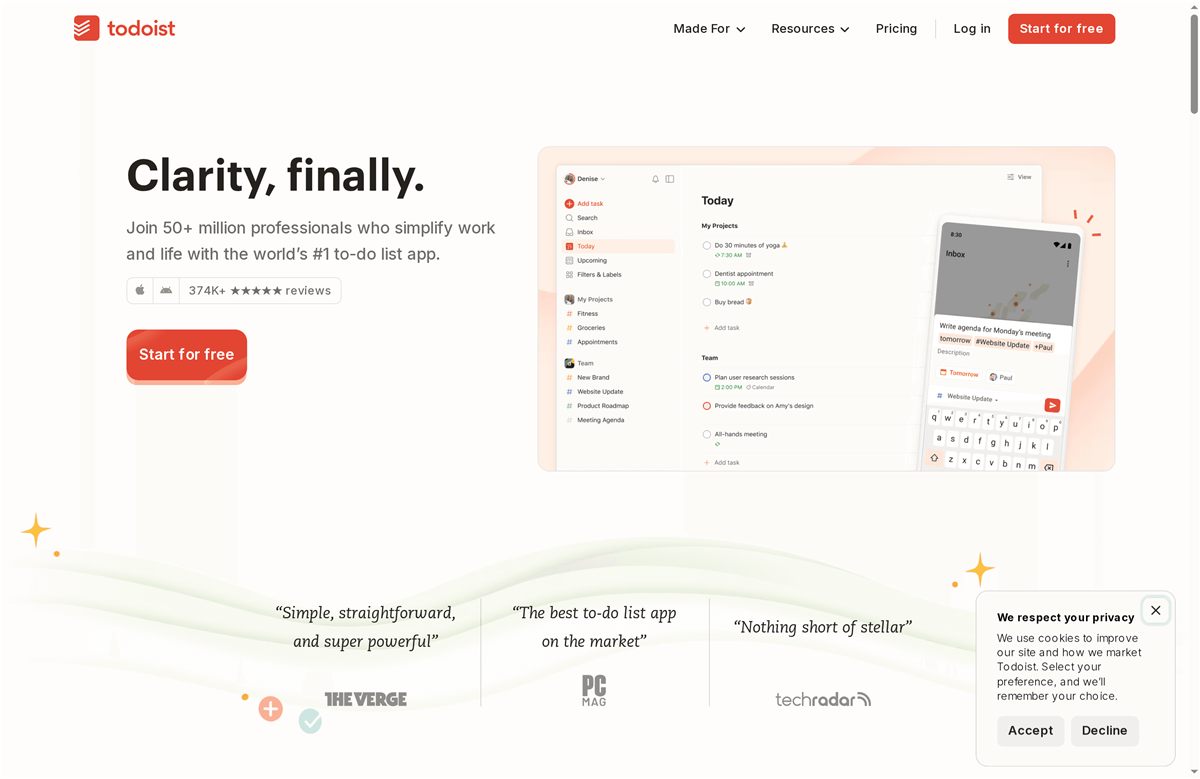
Todoist is a mature, widely adopted to-do app that helps families and teams capture tasks, create routines, and keep projects on track. Built and refined for 18 years, it boasts tens of millions of users and billions of completed tasks, so reliability isn’t a leap of faith — it’s proven. It’s flexible enough for personal habit tracking and robust enough for team collaboration, though unlocking its full power often requires a paid plan.
Core Features
Todoist centers on fast task capture and organized projects: natural language parsing for quick entry, scheduling with due dates and recurring tasks, and customizable filters and views for different workflows. Habit-forming features encourage routines, while shared workspaces, project permissions, and collaboration tools support teamwork. Integrations with other apps expand its reach, making it a hub for both personal planning and group projects.
Simple. Effective. Reliable.
Pros
- Large and trusted user base: More than 50 million professionals and over 30 million app downloads indicate strong market trust and ongoing product investment. This scale also means active community support and frequent updates.
- Flexible task management: Todoist’s customizable filters, views, and recurring scheduling let you tailor task lists to family routines, school schedules, or work projects in practical, specific ways.
- Strong integrations: The app connects with other tools to centralize your workflow, reducing the time you spend switching between apps and helping busy households keep everything in one place.
- Suitable for individuals and teams: Todoist supports both solo habit tracking and collaborative projects with shared workspaces and permissions, so it grows with your family’s needs.
- Proven longevity and reliability: Nearly two decades of development and billions of completed tasks suggest a stable platform you can depend on for household and work planning.
Cons
- Pricing complexity can be confusing: Multiple plans and add-ons make it harder to quickly determine which tier fits a family budget or a small team’s needs.
- Key advanced features are gated: Several of the more powerful tools and conveniences are only available on paid plans, which can feel restrictive for households relying on the free tier.
- Initial learning curve for new users: Because Todoist packs extensive features, new users may need time to set up projects and filters in a way that fits their routines.
Who It’s For
Todoist is ideal for families and small teams who want a dependable, scalable way to manage chores, school activities, work tasks, and shared projects. If you value a single, long-term app that handles everyday to-dos and team collaboration, Todoist fits well. If you need everything free out of the box, it may feel limiting.
Unique Value Proposition
Todoist’s unique strength lies in combining speed (natural language task entry), flexibility (custom filters and views), and proven reliability at scale. It’s a single app that moves easily from personal habit building to managing collaborative campaigns without forcing a platform switch.
Real World Use Case
A marketing team uses Todoist to plan campaigns: they create project templates, assign tasks with due dates, track progress with filters, and use shared projects to coordinate deadlines — enabling clear accountability and smoother execution across team members.
Pricing
Free plan available; paid plans starting at $4 per user/month (Pro) and $6 per user/month (Business), billed yearly.
Website: https://todoist.com
Trello
At a Glance
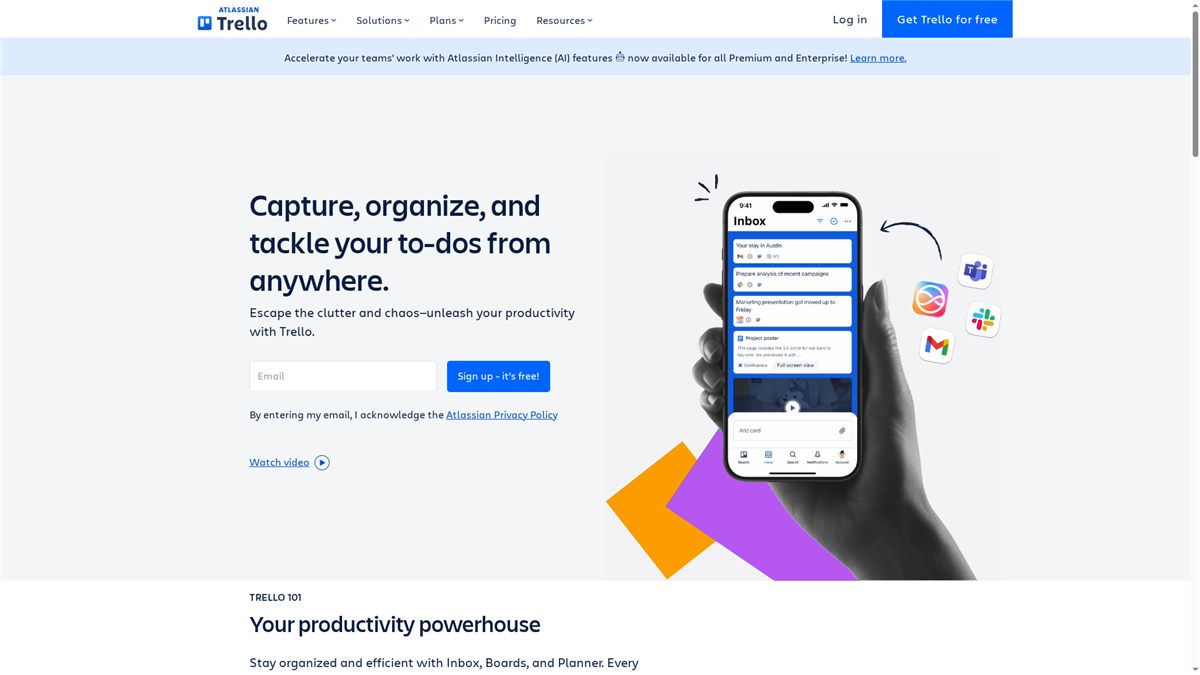
Trello makes it fast and intuitive to organize tasks with visual boards that anyone in a family or small team can pick up in minutes. It’s built for simple task management, resource hubs, and collaborative project work with automation and integrations that scale as your needs grow. The trade-off: the free plan is limited, and the most powerful automation and AI helpers require paid tiers. Overall, Trello is a lightweight, flexible entry point to better time management for busy households and teams.
Core Features
Trello centers on visual boards for managing tasks and workflows, letting you capture, organize, and tackle to-dos from anywhere. It includes an inbox for collecting notes from email and Slack, a planner for scheduling focused time, and automation tools that reduce repetitive work (with AI support on premium plans and above). Power-ups extend functionality through integrations and templates, and there are community and industry templates to speed setup.
Simple. Visual. Practical.
Pros
- Easy to set up and use: The sign-up and board-creation process is straightforward, so family members or nontechnical users can get started without training.
- Flexible for different team sizes: Trello adapts from one-person task lists to multiple boards for groups, making it useful for families, hobby groups, and small teams.
- Powerful automation and integrations: Built-in automation and numerous power-ups let you automate recurring tasks and connect favorite tools to reduce manual work.
- Visual task management with multiple views and templates: Cards, lists, and templates help you see progress at a glance and reuse proven layouts for chores, projects, or campaigns.
- Good security with enterprise options: For larger organizations that need extra controls, Trello offers stronger security and governance through enterprise plans.
Cons
- Free plan has limitations on storage and commands: The free tier restricts how much you can store and how many automation commands you can run, which may frustrate growing households or teams.
- Advanced features require paid plans: The most useful automation, AI support, and premium power-ups are behind Standard, Premium, or Enterprise subscriptions.
- Some integrations and power-ups may have additional costs: While many power-ups are available, certain integrations introduce extra charges outside Trello’s plan pricing.
Who It’s For
Trello fits teams and individuals who want a simple, visual, and flexible project management tool that works across devices. It’s particularly helpful for busy families who need a shared place to coordinate chores, school projects, appointments, and household projects without a steep learning curve.
Unique Value Proposition
Trello’s strength is its approachable visual interface combined with scalable automation and a broad ecosystem of power-ups and templates. You can start with a single board for groceries and ramp up to multi-board workflows with automated actions and community templates as your family or team becomes more organized.
Real World Use Case
A marketing team—or a family planning a move—uses Trello to create boards for tasks, assign cards to members, set due dates, and apply automation for recurring items. Visual boards keep deadlines visible, templates save setup time, and integrations centralize communications and files.
Pricing
Starting at Free plan for individuals or small teams; Standard at $5/user/month; Premium at $10/user/month; Enterprise at $17.50/user/month (billed annually).
Website: https://trello.com
RescueTime
At a Glance
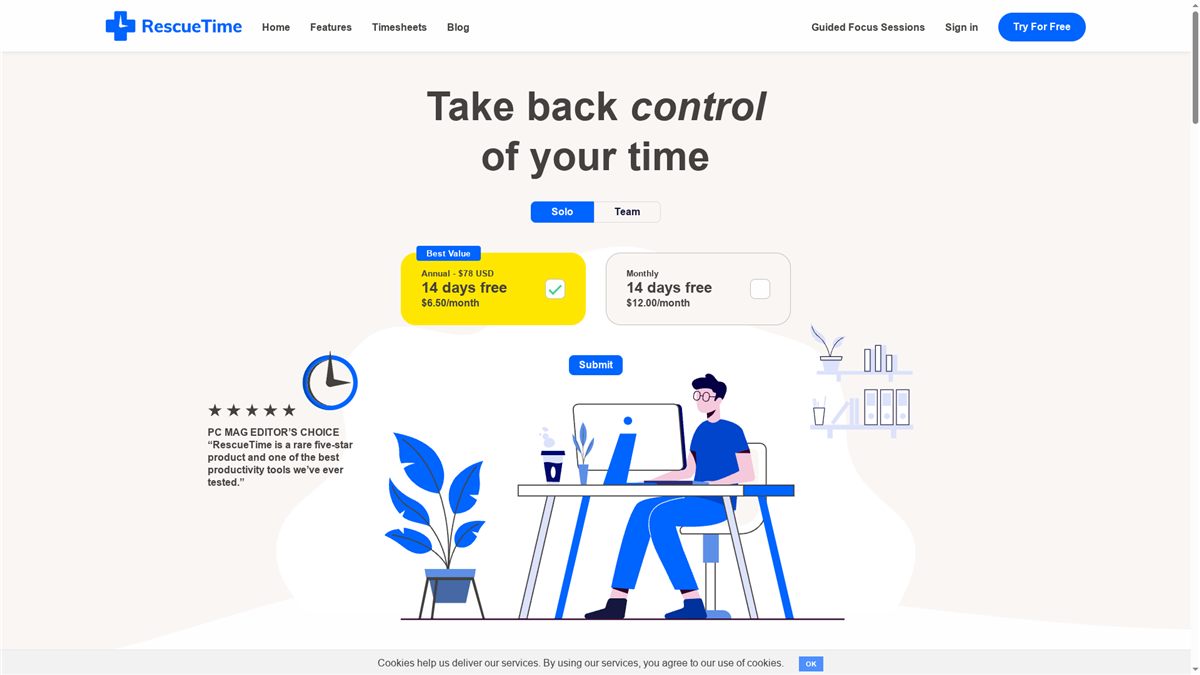
RescueTime offers automatic time tracking designed to help you take control of your day, build better habits, and reduce distractions — with privacy in mind. It combines automatic tracking, distraction blocking, focus sessions, and goal-setting into a single package that works for solo users and teams. If you want measurable insights into where your family or remote team spends their hours, RescueTime delivers clear reports and trend analysis. It’s straightforward to set up and unobtrusive while running in the background.
Core Features
RescueTime’s core capabilities center on automatic time tracking that logs website and application use without manual timers. Built-in website and application blocking and focus sessions help curb distractions during deep work. The platform generates in-depth reports, trends, and insights to reveal time sinks and productivity bursts, and it supports personalized goals and alerts to shape better habits. For teams and projects, RescueTime offers easy timesheets and project tracking while emphasizing privacy protections for users.
Pros
- Effortless automatic tracking reduces manual work: RescueTime runs in the background so you don’t have to start and stop timers or guess where your time went.
- Comprehensive productivity tools: The combination of focus sessions, blocking, goal-setting, and reports gives a full suite for improving daily habits.
- Privacy-respecting approach: RescueTime highlights built-in privacy protections, which is reassuring for families and remote teams concerned about surveillance.
- Trusted by millions globally: The product’s broad adoption suggests reliability and a mature feature set.
- Versatile for solo and team use: Whether you’re managing your own routine or coordinating remote employees, RescueTime adapts to both needs.
Cons
- Details not explicitly mentioned in content, such as potential drawbacks or limitations: The provided information does not enumerate specific UX issues or platform gaps, so some practical limitations may be undisclosed.
- Availability of advanced features may depend on the subscription plan: Key capabilities could be gated behind higher-tier plans, which may limit access for budget-conscious users.
- Pricing may be a consideration for some users: The stated prices could be a hurdle for families or very small teams weighing cost versus benefit.
Who It’s For
RescueTime is best for individuals and teams seeking effortless, privacy-conscious productivity tracking and management tools. Parents juggling work-from-home schedules, family members trying to block distracting sites during study time, and remote teams that need simple, automated reporting will all find RescueTime useful. If you want data-driven changes to daily routines without intrusive setup, this is a solid fit.
Unique Value Proposition
RescueTime’s unique strength is combining automatic, privacy-focused tracking with active distraction management—so you get accurate usage data and built-in tools to act on it. That mix makes it more than a passive logger: it’s a behavior-change tool.
Real World Use Case
A remote team uses RescueTime to automatically log hours across projects, block distracting websites during core hours, and produce weekly reports that reveal where time is lost — then adjusts schedules and focus blocks to lift overall efficiency.
Pricing
Starting at $72 USD per team member per year or $78 USD per year for solo users; monthly options range from $9–$12 per month for individuals and $6–$9 per team member for teams. A 14-day free trial is offered.
Website: https://rescuetime.com
TickTick
At a Glance
TickTick is a feature-rich to-do list and calendar app that blends task management, habit tracking, and focused work tools in one place. It syncs across phone, tablet, desktop, and even watch, so your family’s schedules and chores stay aligned wherever you are. The app is flexible enough for both personal routines and light team collaboration, though some advanced capabilities live behind a premium subscription. Solid choice for busy families who want structure without juggling multiple apps.
Core Features
TickTick brings together essential planning tools: traditional to-do lists with rich task options (recurring reminders, filters, shortcuts), multiple calendar views (monthly, weekly, daily, agenda), a built-in Pomodoro timer to support focused work sessions, and habit tracking that reminds you and surfaces progress data for review. Customization options and collaboration features let you share lists and assign tasks, while integrations with external calendars keep appointments visible alongside tasks.
Pros
- Comprehensive feature set: TickTick combines task, habit, and schedule management so you don’t need separate apps for family routines and school projects.
- Cross-device synchronization: Your lists and calendars stay up to date across phone, tablet, desktop, and watch, making it easy to check or update plans on the go.
- User-friendly interface and customization: The app’s layout and themes let you tailor the look and reduce cognitive clutter when you’re managing a household.
- Collaboration features: You can share lists and assign tasks, which helps split chores and keep kids or partners accountable.
- Integrations with calendars and other apps: Syncing with external calendars keeps work and family commitments aligned in one view.
Cons
- Some advanced features require a premium subscription: Certain capabilities, like advanced filters or additional theme/customization options, are typically locked behind paid tiers.
- Interface might be complex for very casual users: If you only need a single grocery list or a basic reminder, TickTick’s breadth of features can feel overwhelming at first.
- Pricing details are not specified in the source data: You’ll need to check the app for current premium plan specifics before committing.
Who It’s For
TickTick is designed for individuals and families who want one flexible app to manage daily tasks, routines, and shared lists. It’s especially useful if you use multiple devices and value the ability to customize views, track habits, and set focused work periods—think parents juggling work deadlines, kids’ activities, and household chores.
Unique Value Proposition
TickTick’s strength is its all-in-one approach: task lists, calendar views, habit tracking, and a Pomodoro timer in a single synchronized app. That combination helps families move from scattered sticky notes to an organized rhythm without stitching together multiple niche apps.
Real World Use Case
Imagine organizing work projects, setting daily habit reminders (exercise, reading), planning a weekly family calendar, and assigning weekend chores to family members—all from one app. Use the Pomodoro timer for 25-minute focused work while kids do homework, then switch to calendar view to book appointments.
Pricing
Available as a free app with optional premium subscription for additional features.
Website: https://ticktick.com
Timeular

At a Glance
Timeular turns time tracking from a chore into a near-automatic habit by combining digital tracking with an optional physical tracker device. Its mix of automatic app/document detection, calendar sync, and global shortcuts makes logging work fast and accurate for individuals and teams. If you need clear analytics and shared dashboards to improve billing or productivity, Timeular delivers — though pricing tiers and initial setup can feel a bit dense.
Core Features
Timeular’s core capabilities center on making time tracking both automatic and simple. It offers automatic tracking of apps and documents, seamless calendar integration, and instant tracking through global keyboard shortcuts. For hands-on control, a physical tracker device lets you change tracked activities with a flick, and shared dashboards provide team visibility and accurate progress monitoring. Together these features support billing, project budgeting, and cross-tool workflows.
Short pause. Think about how that fits your family or small business.
Pros
- Easy to adopt and use with straightforward setup: The interface and device-focused approach minimize daily friction so family-run projects or freelancers can get started quickly.
- Reliable automatic and manual tracking options: Automatic app/document detection pairs with manual control via the physical tracker or shortcuts, giving you flexibility when work patterns change.
- Rich integrations with other tools and apps: Built-in calendar sync and broad integrations let Timeular slot into existing routines rather than forcing you to rebuild them.
- Comprehensive analytics for insights and decision-making: Detailed reports and dashboards help you spot where time is leaking and where to reallocate effort.
- Supports team management and collaboration: Shared dashboards and team features make it easier to monitor progress across multiple people or client projects.
Cons
- Pricing details are extensive and may be complex for new users to navigate without assistance: The tiered plans and variable feature sets mean you may need time to determine the right subscription for a family business or small agency.
- Dependence on internet connectivity for cloud features and integrations: Cloud-based dashboards and syncing require a reliable connection to get real-time team visibility.
- Some users might find setup and customization overwhelming initially: While basic tracking is simple, configuring integrations, dashboards, and device mapping can take a learning session.
Who It’s For
Timeular fits freelancers, small agencies, and teams of any size that want reliable time capture for billing, budgeting, and productivity analysis. It’s particularly handy for households or family-run ventures juggling multiple client projects or shared responsibilities who need clear, auditable records of where time is spent.
Unique Value Proposition
Timeular’s unique strength is the dual digital-and-physical approach: automatic software tracking plus a tangible tracker device for quick manual switches. That combination reduces tracking friction while keeping analytics rich and team-ready.
Real World Use Case
A small marketing agency uses Timeular to track employee hours across several client campaigns, ensuring accurate client billing, spotting scope creep early, and reallocating staff where projects lag. The physical tracker speeds switching between tasks during busy days.
Pricing
Offers tiered subscription plans including a free trial; pricing varies based on features and team size, with options for personal, team, and enterprise levels.
Website: https://timeular.com
Time Management and Lifestyle Tools Comparison
This table provides a concise comparison of various tools designed to help manage time, productivity, and lifestyle. It highlights essential features, pros, cons, and pricing to assist readers in making informed decisions.
| Product | Key Features | Pros | Cons | Pricing |
|---|---|---|---|---|
| Todoist | Task capture, scheduling, integration | Strong user base, flexible management, integrations | Pricing complexity, key features require paid plan | Free, $4/month (Pro), $6/month (Business) |
| Trello | Visual boards, automation, power-ups | Simple setup, flexible for teams, visual management | Free plan limitations, advanced features require paid plan | Free, $5/user/month (Standard), $10/user/month (Premium) |
| RescueTime | Time tracking, distraction blocking | Effortless automatic tracking, privacy-respecting | Some features may require higher tier, pricing considerations | $72/year (team), $78/year (solo) |
| TickTick | To-do lists, calendar sync, Pomodoro timer | Comprehensive features, cross-device sync, user-friendly | Some features require premium plan, interface may be complex for casual users | Free, with optional premium subscription |
| Timeular | Time tracking with physical tracker | Easy setup, automatic/manual tracking, integrations | Complex pricing, internet dependency | Tiered plans, free trial available |
Take Control of Your Time and Find Calm in the Chaos
Struggling with managing endless to-do lists and family schedules can leave you feeling overwhelmed and exhausted. If the article on the best time management tools for 2025 has you searching for ways to streamline your day, you are not alone. Many busy families want simple, effective systems that balance chores, appointments, and personal time without complicated apps or steep learning curves. The key pain points include finding easy-to-use planners, establishing consistent routines, and reducing the constant stress of juggling household tasks and finances.
At It’s a Southern Life Ya’ll, we understand how challenging it can be to keep everything running smoothly while maintaining peace at home. Our free downloadable planners and practical organization hacks blend time management with budgeting and self-care guidance designed specifically for families like yours. Discover how to create clear schedules that speak the same language as your budget and family goals. Don’t wait for the chaos to take over. Visit our homepage now to start your journey toward calm organization, or explore our printable planners to take immediate control of your time and simplify your life.
Frequently Asked Questions
What are the key features to look for in time management tools for 2025?
Effective time management tools in 2025 should have automatic task tracking, scheduling capabilities, and collaboration features. Look for tools that also offer integrations with other applications to streamline your workflow and enhance productivity.
How can I determine which time management tool is best for my family or team?
Assess your family’s or team’s specific needs by considering factors like task complexity, team size, and required features. Test a few tools through free trials or demos to understand their usability and functionality before committing.
What steps can I take to implement a new time management tool in my household?
Begin by selecting a time management tool that fits your family’s needs, then involve everyone in the setup process. Schedule a dedicated time to walk through its features together, ensuring all members are comfortable using it within the first week of implementation.
How do I measure the effectiveness of my chosen time management tool?
Track metrics such as task completion rates and time spent on different activities before and after implementing the tool. Aim for a 20% increase in productivity or a noticeable reduction in time wasted on coordination tasks within the first month.
Can time management tools help reduce stress in a busy home environment?
Yes, using time management tools can significantly decrease stress by keeping schedules and tasks organized. To maximize this benefit, regularly review and adjust the system to ensure it meets changing family needs and priorities.
What should I do if my family is resistant to using a new time management tool?
Start with a discussion about the benefits of using the time management tool and address any concerns they might have. Encourage small, incremental use of the tool, such as assigning single tasks at first, to build familiarity and comfort around its use.
Recommended
- Time Blocking Guide for Parents – It’s a Southern Life Ya’ll
- 7 Time Management Tips for Families to Balance Life – It’s a Southern Life Ya’ll
- Essential Tips for Simplifying Schedules in 2025 – It’s a Southern Life Ya’ll
- 7 Essential Productivity Apps for Businesses to Boost Efficiency – Projector Display
- Workplace Automation Tutorial: Streamline Your Business Today
Want a little more help with this? I made a free 30-Minute Reset that pairs right up with this post — y’all can grab it over on my Free Resources page.